Apna Rate, Khud Set Karein!

Swaraaj aapko azadi deta hai apne customers ke liye discount aur rates taye karne ki.

Strategy: Pehle Estimates Check Karein

Discount set karne se pehle ye janna zaroori hai ki abhi rates kya chal rahe hain:

  • Home screen par icon click karein aur drop location daalein.
  • 5 kms, 10 kms aur 25 kms ke liye Company Estimates dekhein.
  • Outstation (40+ kms) ke liye bhi rate check karein.
Zaroori Suchna: Rates check karne ke liye aapke wallet mein balance hona chahiye. Top-up Guide Dekhein

Discount Kaise Set Karein?

Aap apna discount ek baar set kar sakte hain aur zaroorat padne par badal bhi sakte hain:
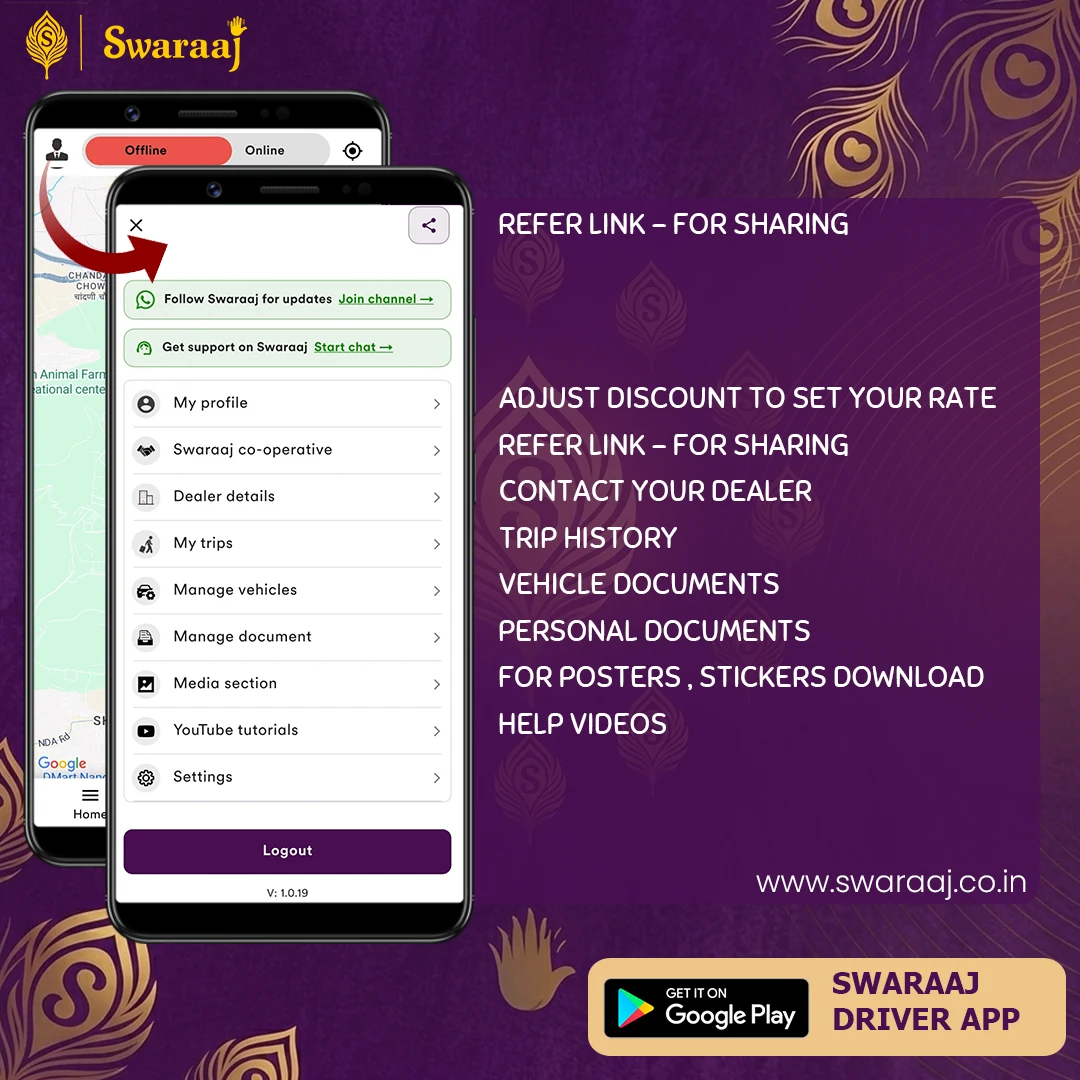
  1. App ke Profile Section mein jaayein.
  2. Niche scroll karein, wahan aapko Discount Setting dikhega.
  3. Shuruat mein 10% Discount set karke dekhein.
  4. Outstation Tip: Agar duri 40km se zyada hai, toh kam discount rakhna behtar hota hai.
Menu Guide Swaraaj Profile Menu and Discount Settings

Profile menu mein niche 'Discount Setting' option dekhein.
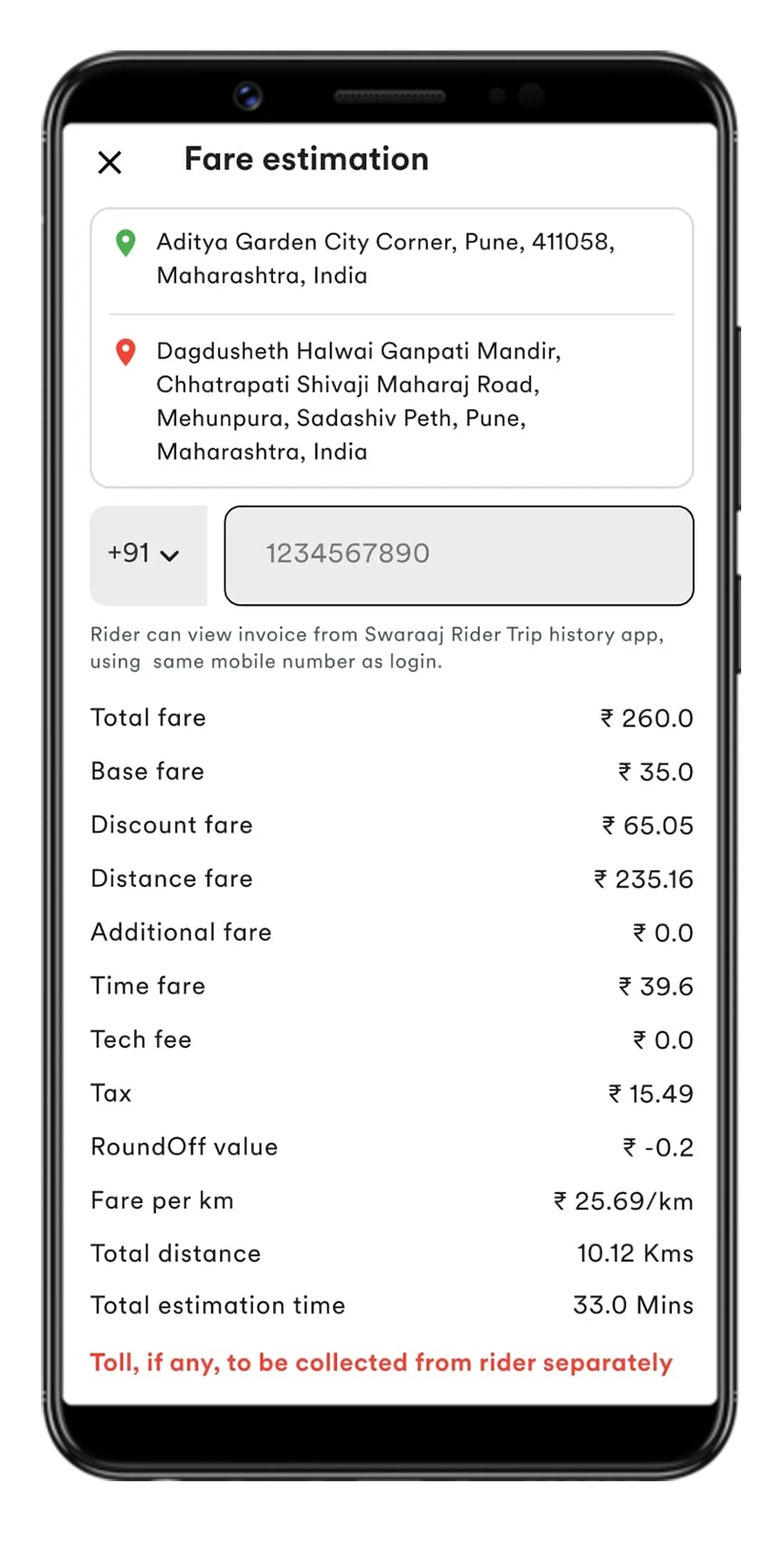
Estimation Screen

Swaraaj Fare Estimation Details

Continue dabane ke baad aapko aisi detailed breakdown dikhegi.

Video Tutorial 🎥

Sikhiye kaise 1 minute mein rate badlein!