Swaraaj — Rider App & Driver App | Call-A-Ride | Aatmanirbhar
Translate this page:

Swaraaj Digital Meter Guide

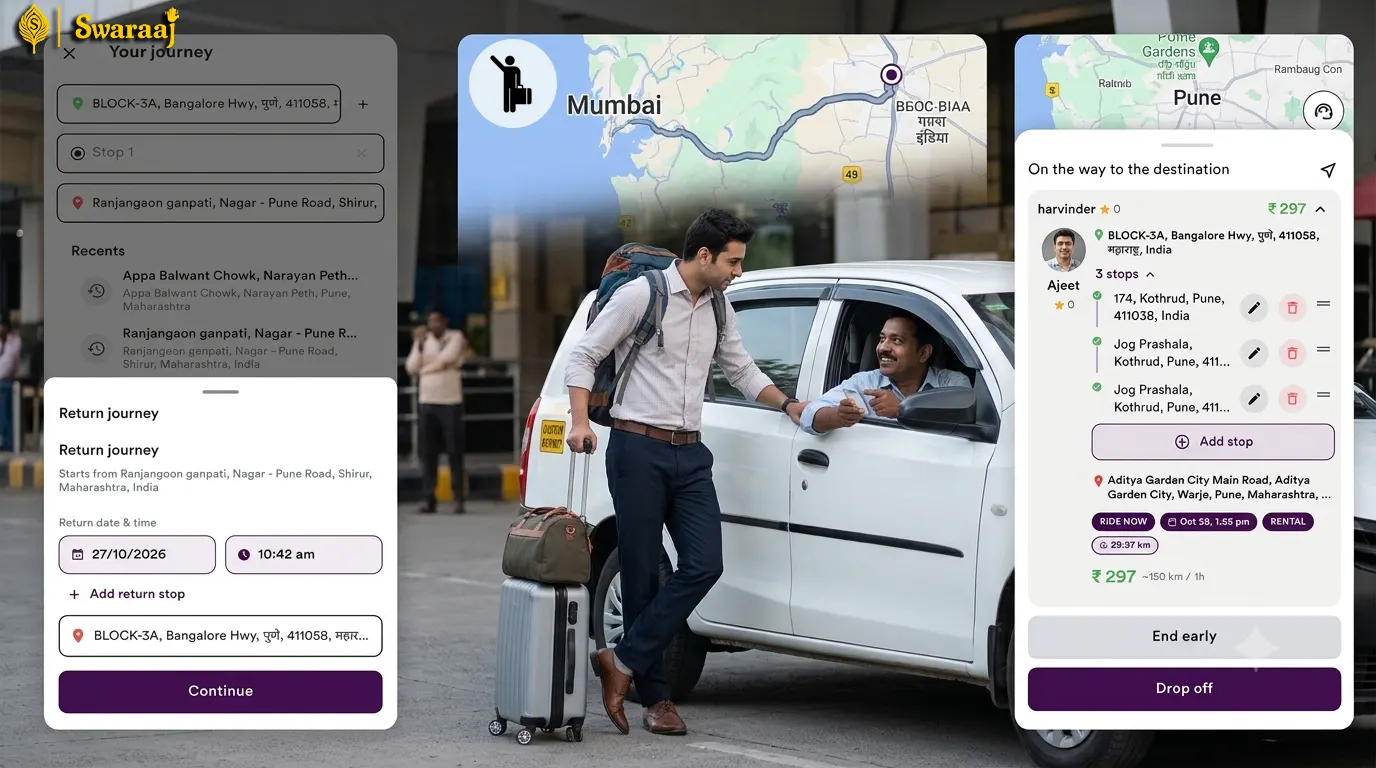
Make your Offline/ hail/ Spot trips more professional with transparent fare estimate and professional invoice

Why is this Essential for Auto & Cab Drivers?

With traditional mechanical meters, passengers only discover the fare at the end of the trip, often leading to disputes. With the Swaraaj Digital Meter, you can show the Estimated Fare upfront before starting the ride.
For Stand-Based Drivers: If you operate from a designated taxi or auto stand, encourage nearby residents to download the app. They can locate your "Blue Icon" on the map and call you directly for rides.

Steps to Use the Digital Meter:

  • Enter Destination & Stops: Once you enter the drop-off location, the app displays the "Estimated Fare" (based on your custom fare settings).
  • Select the type of trip: Select the type of trip, Local, Rental, Outstation -oneway / round.
  • Show estimated fare: the app displays the "Estimated Fare" (based on your custom fare settings).
  • Passenger Details: Enter the passenger's mobile number (for street-hail/offline trips) or their "Swaraaj Rider Code" (for call-ahead rides).
  • Start Trip: Tap the "Start Ride" button to begin real-time GPS tracking for the journey.
  • End & Collect: Upon reaching the destination, tap "End Ride," view the calculated final fare, and collect the payment.

Increase Spot Trips

Swaraaj Fare Estimate and Rider Code Screen

With swaraaj Meter, you can start offline / spot trips to increase your business

Video Tutorial 🎥

How is the Meter Fare Calculated?

The Swaraaj meter combines these below components:

  • Base Fare: Initial charge to start the trip.
  • First 1.5 km: Flat rate for the initial distance.
  • Distance Rate: Charge per kilometer thereafter.
  • Time Fare: Charge based on time spent in traffic.
  • Waiting Fare: First 5 minutes no charge, then waiting charges apply at ₹5/- per minute also between stops.
  • Additional Fare: Night charges or any fare adjustment for increasing rate.
  • Tech fee : Added in final fare collected from rider.
  • Tax : Tax amount

Driver Control: You can manage and control your earnings by offering custom discounts or increasing rate.

Benefits of Adding Passenger Mobile No. or Code:

Passenger Safety: Trips are tracked and can be easily shared with family members.
Digital Invoice: Passengers receive an instant electronic bill after the trip.
Blue Icon: You become their designated "Favorite Driver."

*If the passenger prefers not to share their details, you can still start the trip, but the above features and benefits will not apply.